

GoPro telemetry overlay
From your GoPro files to a video with telemetry
Lap times, delta, track map, speed and G-meter burnt into your on-board video, in a few minutes and without any video upload. Pick the case that matches your files: the steps are the same afterwards.
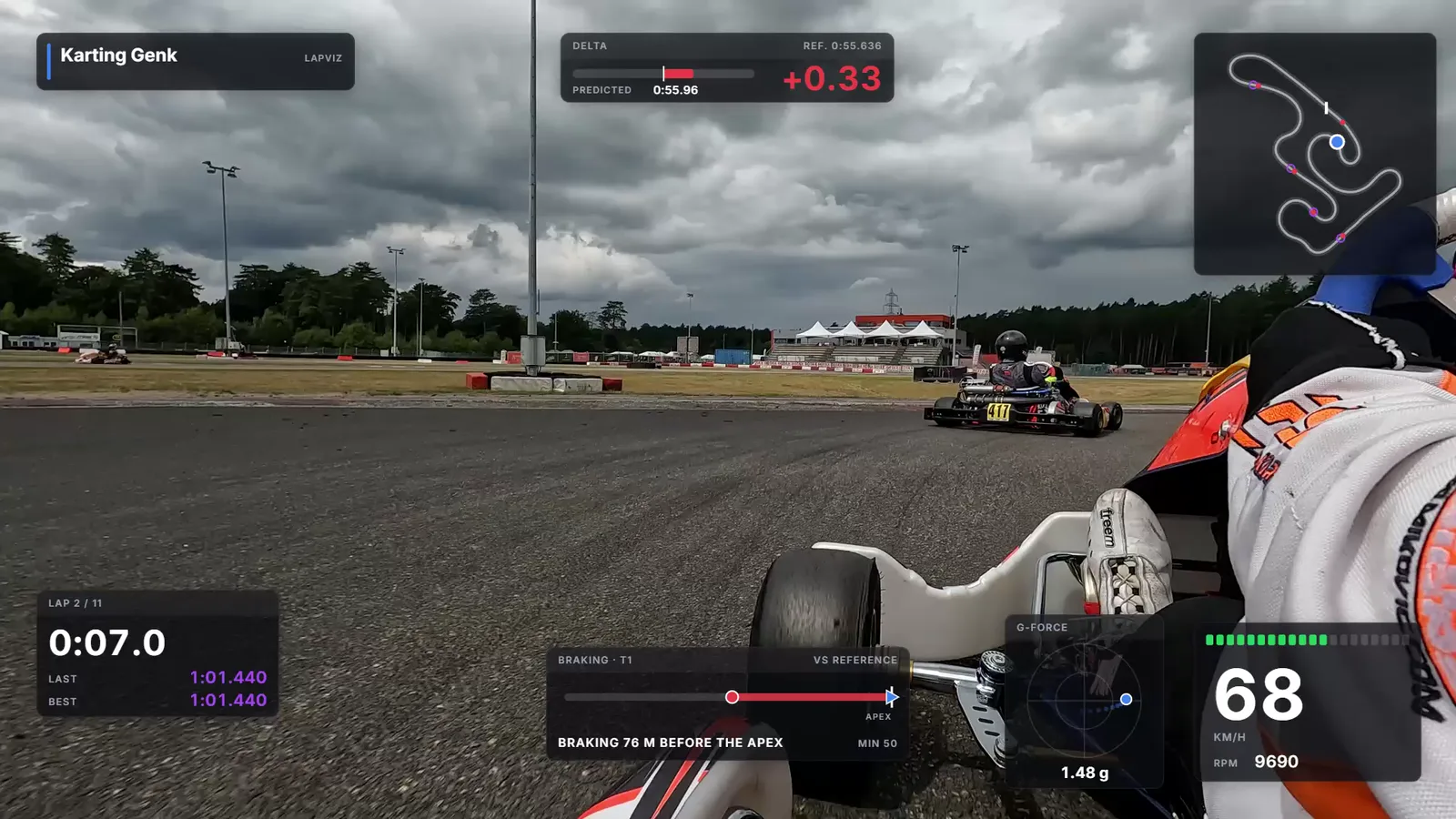
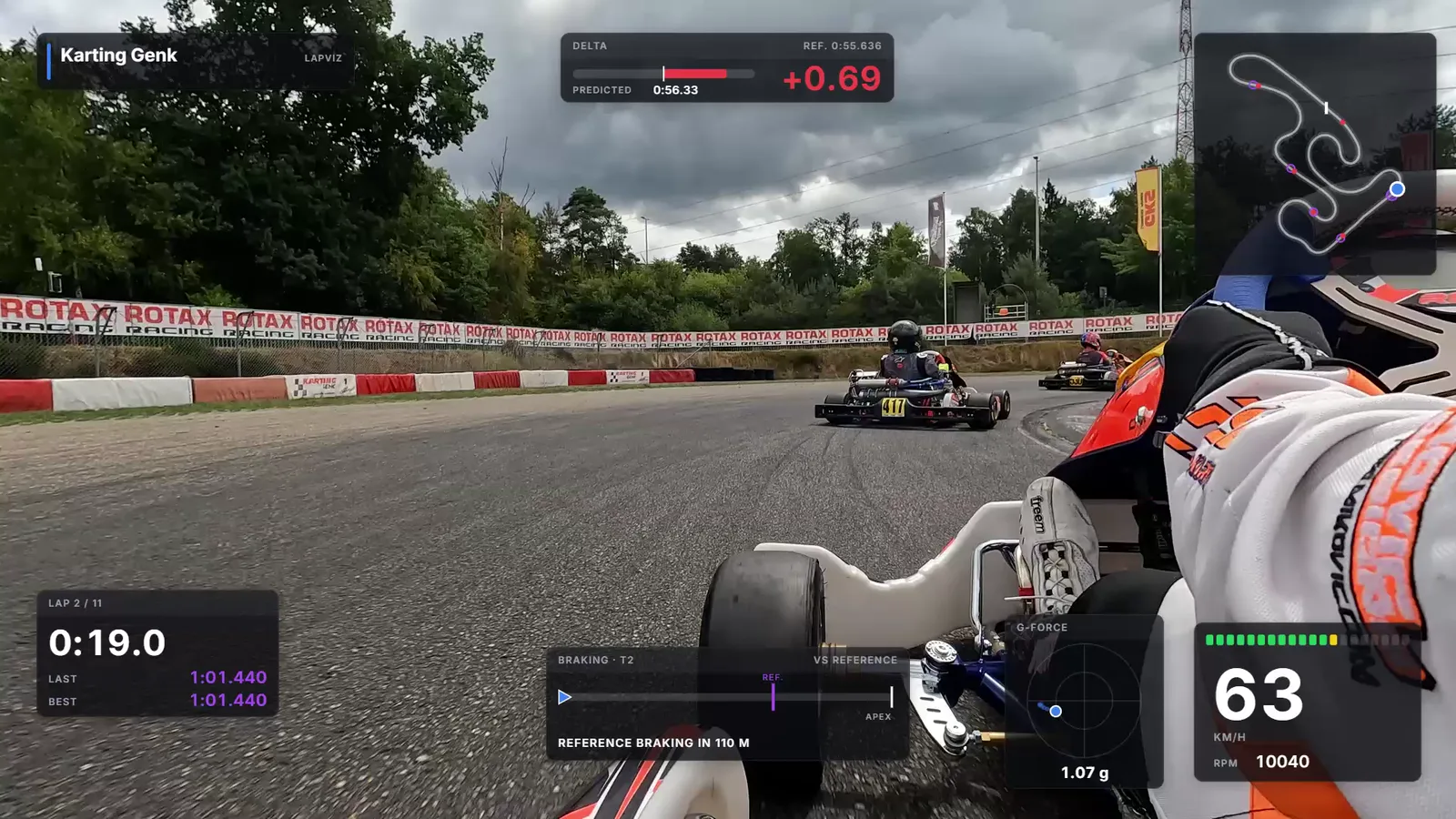
A GoPro and a laptimer
The most precise: the laps and the channels of your laptimer, the images of the GoPro.
- Import the file of your laptimer: AiM, Unipro, Alfano, MyChron, RaceBox, VBO...
- Choose the GoPro video: it is synchronized by its GPS time, even when the laptimer records the local time
- Check it once on a crossing of the line, adjust it frame by frame if needed
The GoPro alone
No laptimer? The GPS of the camera is in the video file.
- Drop the MP4 files on the import page, all the chapters of a recording together
- Only the GPS is sent: the video stays on your computer
- Laps calculated on the circuits known by LapViz
- Close to a laptimer with a good satellite signal; LapViz warns you when it was weak
A video already on YouTube
Your video is online and the original file is gone from the camera.
- Add the YouTube link to your session
- Synchronize it on the frame where you cross the line
- Preview the overlay over the YouTube video, then export it for the original file if you still have it
Tips for a good result
Two minutes of preparation in the paddock save the evening.
- Turn the GPS on in the settings of the GoPro (except the HERO12 Black, which has none)
- Switch the camera on a few minutes before going out, the time to get a GPS fix
- Keep every chapter of a long recording (GX01..., GX02...)
- For the gauges alone, export them at the resolution and frame rate of your video
From the files to the video
The same steps whatever your case.
- Import your session: the file of your laptimer, or the MP4 files of the GoPro alone
- Open the session, then "Video overlay"
- Choose the video on your computer: lap 1 is placed from the GPS time of the video
- Choose and place the gauges: lap times, delta to a reference lap, track map with the ghost, speed, G-meter
- Export the finished MP4 video, with the gauges and the sound, or the gauges alone for your video editor
- Publish it: YouTube, Instagram, or the group of your team
Frequently asked questions
Is my video uploaded?
No. The video is read in your browser: for the synchronization, LapViz reads only the time of the video; for an import without a laptimer, only its GPS track is sent.
Which GoPro cameras work?
The GoPro cameras with a GPS, from the HERO5 Black: the GPS track and its time are in the video file. The HERO12 Black has no GPS: it can still be synchronized by hand with the data of a laptimer.
Does LapViz make the final video?
Yes: choose "Finished MP4 video" and LapViz makes your video with the gauges burnt in, the sound of the camera kept, ready for YouTube or Instagram. Best in Chrome or Edge, which read the HEVC videos of the GoPro and write the video straight to a file. To edit it yourself, export the gauges alone, as a transparent video or a sequence of images.
Lap 1 is a little off in the video, why?
The line of the laptimer is not always exactly at the line painted on the track. Pause the video on the crossing of the line and click on "Starts at the current frame", or adjust by one frame.
My GoPro had no GPS fix, does it still work?
For the synchronization, yes: LapViz then uses the clock of the camera, approximate, and asks you to check it on a crossing of the line. For laps without a laptimer, no: without a fix, the camera records no position.
The video is split into several files, what do I do?
Drop every file of the recording together on the import page: LapViz puts the chapters back in order and makes one session. For the overlay, choose the chapter you want to edit: each one is synchronized on its own.
Also in the LapViz suite
- Video overlay Add telemetry gauges to your on-board video: track map with ghost, lap times, delta, braking points, G-meter, speed and RPM, ready for your video editor.
- GoPro 3D replay Drop the video of your GoPro: LapViz replays your laps in 3D on the satellite view of the circuit, against the ghost of your best lap. Free.
- GoPro lap times Drop the video of your GoPro with GPS: LapViz finds the laps on the circuit, draws your speed and line, and syncs the video with the data of your logger.